I will pay once I have reviewed the files.
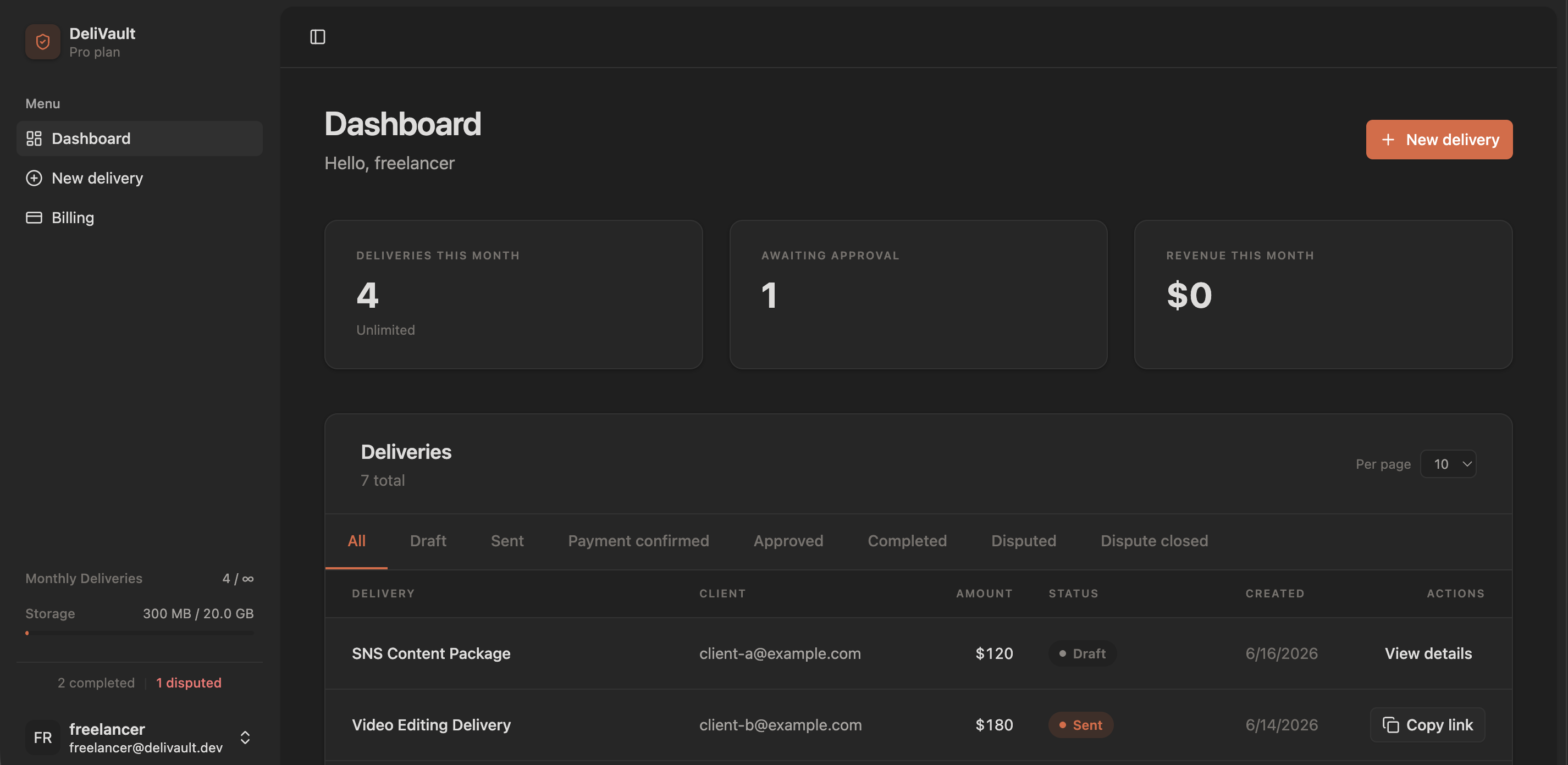
Those words have cost freelancers thousands. Delivault locks your files until payment is confirmed — clients get a preview, you confirm the deposit, then you release. Every step timestamped. Disputes answered with a timestamped evidence pack — immediately.
Every freelancer has a version of this story.
They got the files. You got silence.
Delivered everything on time. They opened it, said nothing, and disappeared.
"One more tweak, then we'll pay."
That was three months ago. You're still tweaking.
You were right. You couldn't prove it.
The client lied. You knew it. But without evidence, knowing doesn't matter.
"Pay me back or I'll dispute the charge."
Not a request. A threat. And you had no leverage.
Here's what changes.
Lock your files before delivery. Release access only after payment clears. Every action is timestamped — if a dispute hits, one PDF says everything that happened.
How a protected delivery works
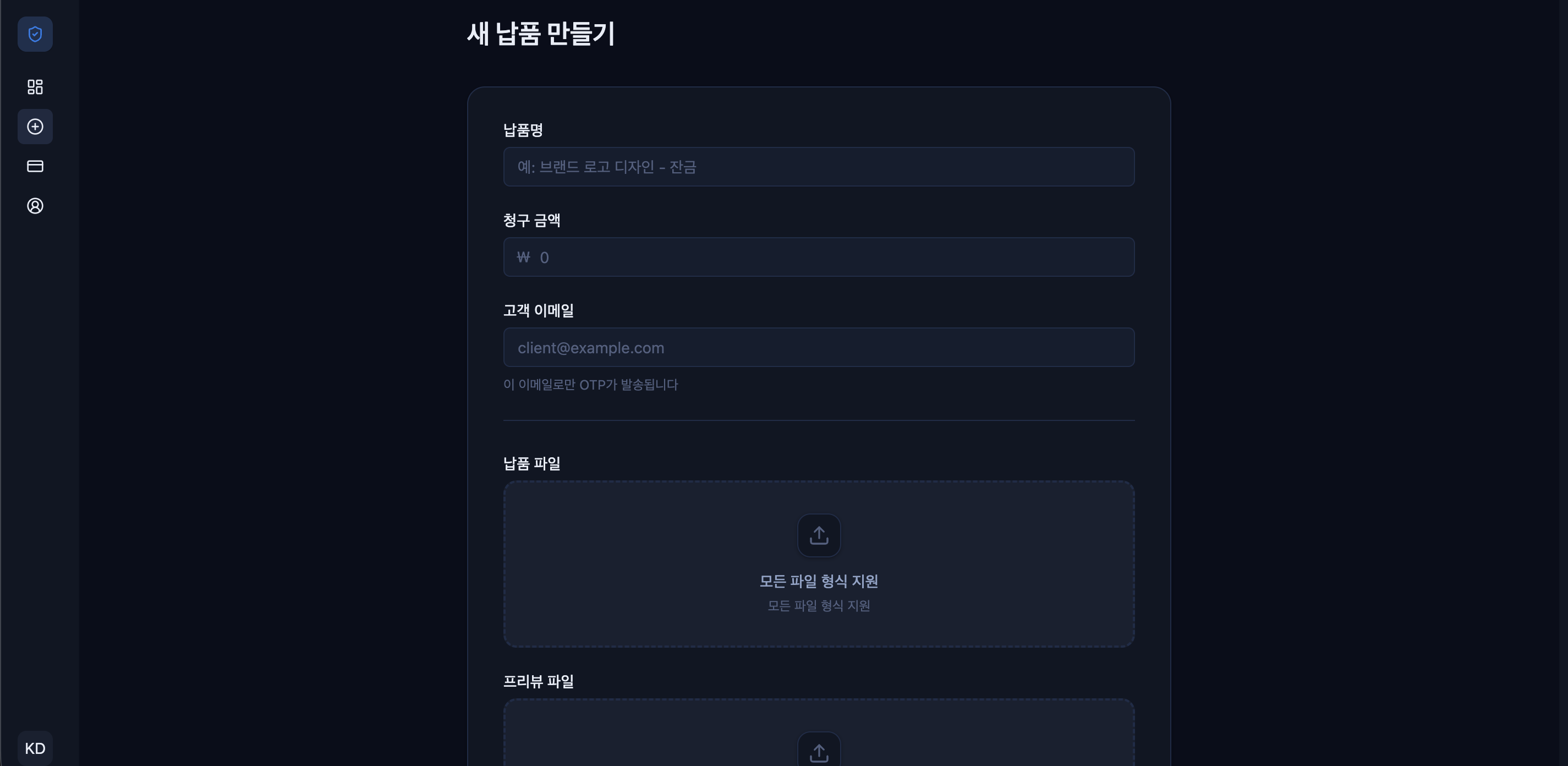
Upload your files. Lock them in a vault.
Your files are stored privately. A preview is generated automatically — clients see just enough to confirm it's what they asked for. Nothing more.
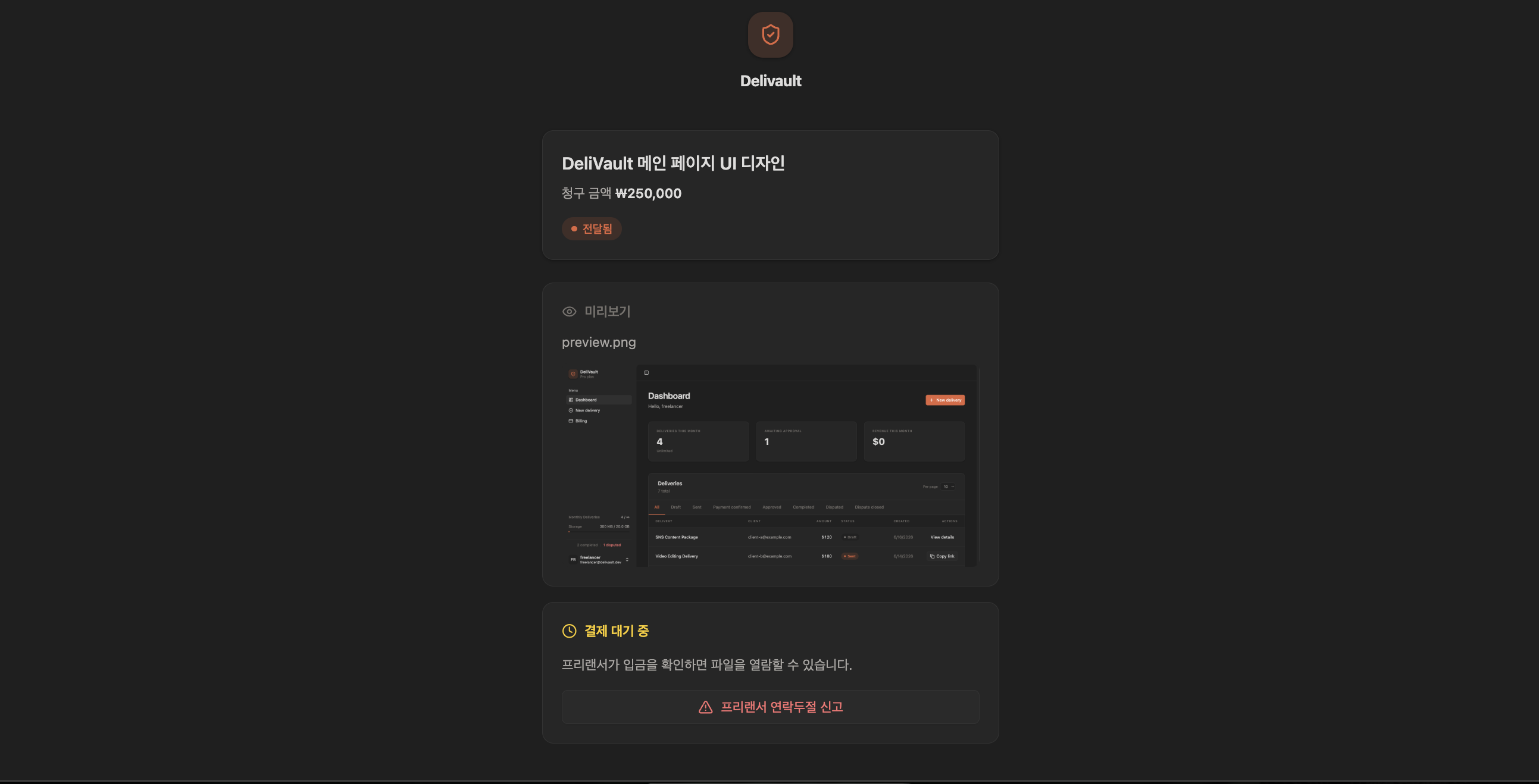
Share a link. Not the files.
Send your client a unique link. They verify their identity with a one-time code — no account needed. They see the preview. The files stay locked.
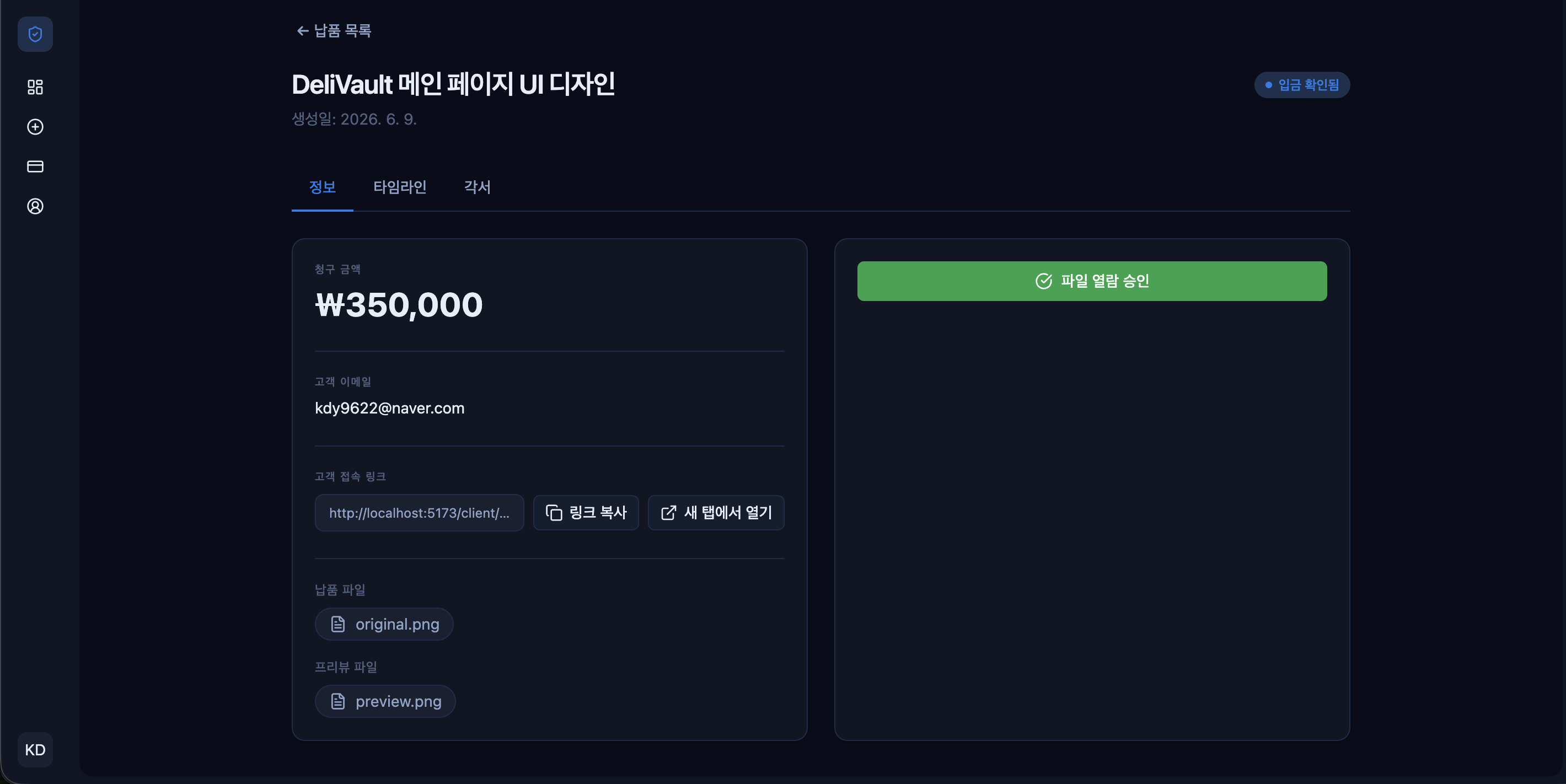
They pay. You confirm.
Payment happens outside the app — bank transfer, Kakao Pay, whatever you agree on. Once the deposit lands, you mark it confirmed in your dashboard.
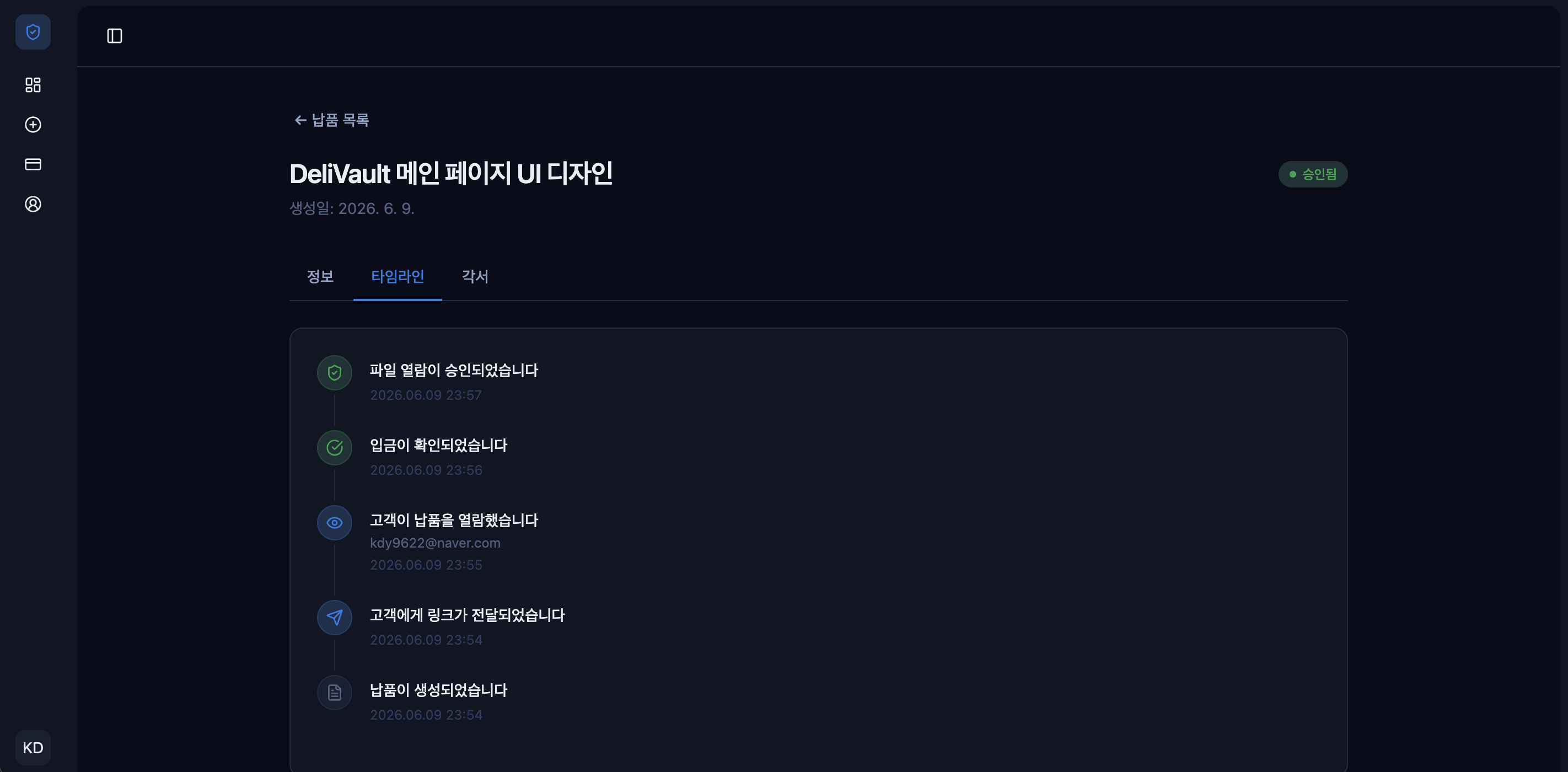
You release. Everything's recorded.
One click to approve access. Your client downloads the full files. Every action — upload, access, payment, approval — is timestamped and packaged into an evidence PDF the moment a dispute is raised.
Pricing
No setup fees. Cancel anytime. Your clients are always free.
Best for getting started with a few deliveries each month.
- Up to 2 deliveries per month
- 1GB storage
- Preview-only until approval
- Notifications and basic dashboard
For freelancers shipping work consistently.
- Unlimited deliveries
- 20GB storage
- Evidence package and workflow logs
- Priority support (post-beta)
For studios and small teams managing multiple clients.
- Unlimited deliveries
- 100GB storage
- Up to 5 team members
- Team roles & audit logs (roadmap)
Clients are always free